Explore the world of
Chrome
extensions
with us as we delve into one of the highly-rated ones - Speak It! With an aggregate rating of 3.9 out of 5, and powered by Google's text-to-speech service, this extension is transforming the way you interact with text online.
What is Speak It!
Speak It! is a free text-to-speech
Chrome extension
that uses Text to Speech (TTS) technology to read selected text on your screen. With the ability to detect over 50 languages automatically, this extension is breaking barriers in
communication
and
learning
.
How does Speak It! work?
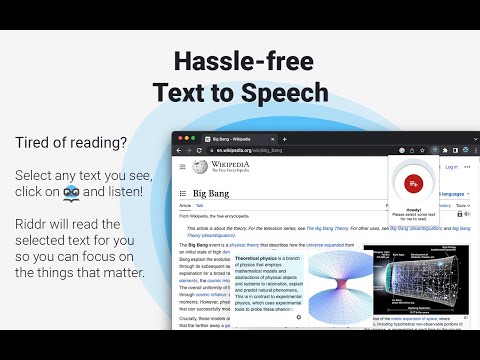
Using Speak It! is as simple as selecting the text you want to be read aloud and clicking the Speak It! icon. Once the extension is ready to read, it displays the number of sentences on the icon. To stop the
reading
, simply click pause.
User Reviews
The positive feedback from users like Suzi Y who found Speak It! to be exactly what she needed, and Jared Van de Ligt who found the extension to be an invaluable
study
aid, underscores its relevance and effectiveness. However, some users have reported issues with the extension, indicating areas for improvement. Comments from users such as RJ Smith and Bobak Tadjalli point to inconsistencies in performance and limited TTS options.
The Speak It! Evolution
Over time, the developers of Speak It! have rolled out several updates to improve the user experience and expand its capabilities. This includes bug fixes, the implementation of the new Chrome TTS API, the addition of offline TTS support, and the ability to add and configure new TTS engines/voices.
Conclusion
Chrome extensions like Speak It! are changing the way we interact with online content. While it has its strengths and weaknesses, the constant updates and improvements show a commitment to making it the best text-to-speech extension available. Whether you're looking for a tool to assist you with studying, proofreading, or simply multitasking, Speak It! could be the top Chrome extension for you.












21 Reviews For This Extension
Detected marked area as English. which was not correct.
Doesn't work very well.
Sucks. doesn't even work. NO AUDIO with this extension, so how exactly is this extension suppose to be a text to speech reader? my audio is working just fine when I watch a video. The test audio in settles doesn't even work. just farming your data.
Only has the most robotic Microsoft voices and lacks any mode of control once it starts reading besides pause, you can't make it skip or control where it's reading, short of stopping the whole thing and starting it again. To change anything like the speed you have to right click the extension and open options which also opens the extensions window, super annoying and cumbersome. The robot voices and total lack of access to control is the cause for my low score.
If u cant select a language in riddr options , switch to shortcuts tab and add one (couldnt change combination, just add more till u find one u like and delete the rest), then select your language. Mark the text youd like to have read, press shortcut combination and Enjoy!
how can i change language ?
Absolutely love this extension!
Does not work.
Had it for less than 3 hours and it won't read more than a short paragraph at a time. It doesn't give options to read the whole page or to highlight what I need read. It spins for several minutes just to read 2 sentences, not even the whole paragraph. So far the only good thing about it is I can understand what it says and it's free...
amazing extention, although i reccomend maker to put something saying it was speakit formally on the description or name
i like it, just wish it could read faster.
This developer is a God! I have found this extension endlessly useful, especially in school. Great Job Petrov! your work and talent has not gone unnoticed nor unappreciated! Спасибо
I highlighted a three line parragraph and it only converted to speech a single sentence. It even stopped after finishing it. Tried highlighting other pieces of text but the same happened. Very cool idea and nice speech voice, but this issue makes it unusable.
This is what I was looking for. Highlight and read. THANK YOU!
TTS- native
very useful
this extension is handy someone sent me a website that had a lot of reading to do, i used speak it and listened to speak it read the website was way better to have it read it to me then read it myself, i did not feel like reading the whole article, so it was nice to have speak it read it to me
One of the worst ones ever created. when it dose work. 1 out of 99% of the time it good. But for the 99% of the time it fails or it read or reads everything like this. The plus plus of the plus plus is plus plus plus plus plus plus and so the plus plus is plus plus and plus plus plus plus plus plus......... What a useless thing someone has created. It could not even read this post. Do not bother wasting your time in using this.
After I installed the extension, it redirected me to its settings page and the point that made me to put 1-star raring is that it was only using my computer's TTS (Windows 10 Pro) and not more as shown in the screenshots.
Keeps rerouting me to a blocked address of sketchboy.com
can not use